Why Subscriber Archives, Public Replays, and Temporary VODs Have Different Access Periods
A recording that remains available after a livestream is not automatically a permanent archive. A public replay may disappear after a platform-defined storage period, a members-only video may remain visible only while the account has the correct membership level, and a rental VOD may expire a fixed number of hours after purchase even though the original broadcast happened years earlier.
These distinctions matter when viewers are deciding whether to subscribe now, wait until later, or purchase an individual VOD. The important details are the starting point of the access period, the account status required for playback, and whether the platform still stores the video after the viewer's own access ends.
A reliable check therefore separates two questions: Does my account currently have permission to watch this video? and Does the video itself still exist on the service?
Subscriber Archive Scope and Membership-Level Access
The phrase “subscriber archive” does not guarantee that joining today opens every video ever published for members.
The actual access range depends on how the platform and creator configure individual videos.
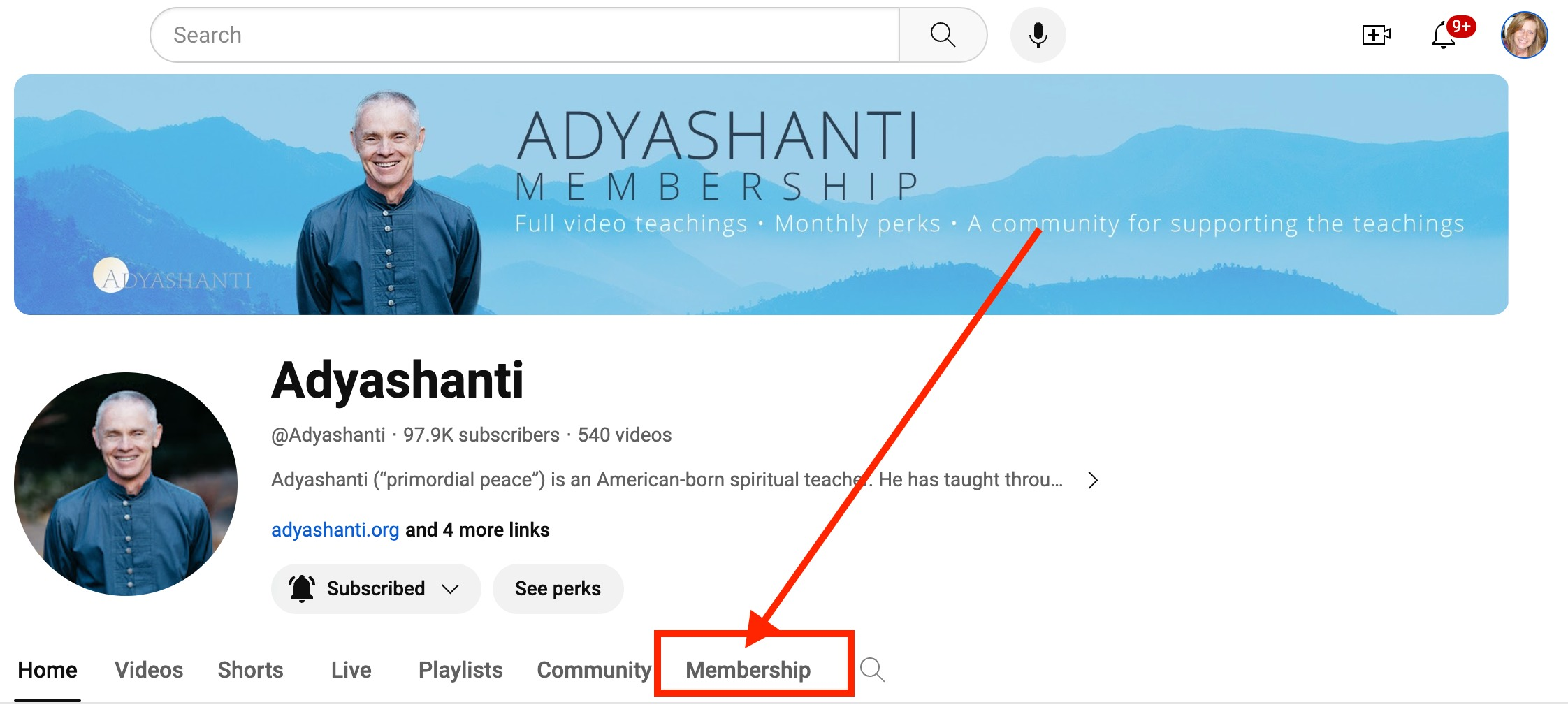
YouTube channel memberships illustrate this clearly. Creators can assign members-only videos to specific membership levels, and viewers at the appropriate level can watch those videos immediately. Higher-priced membership levels include the perks of lower-priced levels, while upgrading gives the viewer immediate access to the higher level.
This means that, on YouTube, access is generally based on the video's current membership-level setting rather than a rule that a new member may see only videos posted after the date they joined. A video uploaded months earlier can still be available to a newly joined member if it remains published and assigned to that member's level.
That should not be generalized to every subscription platform. Some creators or services may organize archives by season, tier, purchase date, or separate product. The useful pre-payment test is therefore to inspect the archive while logged out or at the lowest available account level and record what changes after joining.
A practical comparison can use:
| Account state | Archive information to record |
|---|---|
| Non-member | Visible titles, thumbnails, previews |
| Entry membership | Oldest playable video and total visible archive |
| Higher membership level | Additional videos unlocked |
| Cancelled but still paid | Whether archive remains playable |
| Membership expired | Which items become locked |
| Rejoined account | Whether currently stored older videos return |
Do not judge the archive only from a banner promising “exclusive past content.” Open several videos from different dates and determine whether the oldest entries are actually playable with the membership you plan to buy.
A public replay also should not be assumed to remain public permanently.
On YouTube, livestreams shorter than 12 hours can be automatically archived. Afterward, the creator can change the archive to public, unlisted, or private, or delete it. The existence of an automatically generated archive therefore does not create a permanent public-viewing guarantee.
Twitch demonstrates a different model because ordinary past broadcasts are subject to storage periods. Twitch's current VOD documentation distinguishes retention according to account status: Partners, Prime users, and Turbo users can receive 60-day past-broadcast storage, while Affiliates have a shorter 14-day period. Some VOD configurations and formats have additional rules.
That is different from a creator deliberately making a highlight or other edited video that follows another retention policy.
The practical point is that “public replay” describes who can watch the video now, not necessarily how long the platform will store it.
Before postponing a replay, look for:
broadcast date → replay publication date → visible expiration notice → broadcaster notice → platform retention rule
A channel may also voluntarily make a replay private before the technical storage limit. Conversely, a creator can preserve important portions by producing a separate highlight even after the original past broadcast disappears.
Claims such as “public replays always stay for seven days” or “all subscriber archives last forever” are therefore too broad. The rule must be checked at the episode and platform level.
Temporary VOD Expiration Starting Points
Temporary VODs create another source of confusion because the expiration clock can start from different events.
Possible starting points include:
- end of the original livestream
- publication of the VOD
- purchase of the rental
- first playback
- a fixed calendar deadline
The correct starting point must come from the individual product terms.
Weverse provides a useful example of purchase-based rental access. A TXT Rental VOD notice states that the VOD can be watched for two days from purchase. Its example shows a purchase at 11:00 AM on August 5 remaining playable until 10:59 AM on August 7. The same page distinguishes the rental product from a permanent VOD purchase of the same content.
This is substantially different from a rental where a longer initial period is provided to start the video and a second clock begins after first playback.
Do not infer the timing model from the word “rental.”
Before purchasing a temporary VOD, write down the exact wording:
Purchase at: August 12, 19:00
Access starts: at purchase
Duration: 48 hours
Expected expiration: August 14, 18:59
If the platform instead says “available until August 31,” the user's purchase time may not extend that deadline.
Remaining-time displays should also be checked on the device that will actually be used. An app may present “1 day remaining” while the web product page gives an exact date and time. Where the two displays look inconsistent, rely on the official purchase conditions and save a screenshot showing the exact expiration notice.
Subscription Cancellation and Remaining Paid Access
Cancelling automatic renewal and immediately losing access are not always the same event.
For YouTube channel memberships, cancelling stops future renewal, but the viewer continues to receive membership perks until the end of the current billing cycle. YouTube also states that the unused portion between cancellation and the end of that billing cycle is not normally refunded simply because the member cancelled.
This creates an important distinction:
Cancellation date: when future billing is stopped.
Membership expiration date: when the already-paid period ends.
When a subscription is being used only to watch several archived livestreams, cancelling renewal immediately after subscribing can sometimes be sensible if the platform confirms that access continues through the paid period.
The situation changes when a membership level itself is removed. YouTube states that if a creator removes a membership level, members at that level lose access to its perks immediately and receive a refund of the previous month's payment.
This illustrates why account rights and content availability should be recorded separately.
Subscription Rights and Content Storage Rights
Re-subscribing does not recreate a deleted video.
Consider two different situations.
In the first, the video still exists as members-only content. Your membership expires, playback becomes locked, and you later subscribe again at the correct level. Based on YouTube's current membership model, rejoining restores access to the members-only material that is still published for that level. This follows from the service's current level-based access design.
In the second situation, the creator deletes the video while you are unsubscribed. YouTube states that deleted videos are permanently removed from the channel. Renewing membership later cannot restore a video that the creator no longer stores on YouTube.
The difference is:
subscription right: permission to view content that currently exists.
content storage right: whether the creator or platform continues to host that content at all.
This distinction is one of the most important checks for long-term archives.
A viewer may believe, “I can unsubscribe for six months and watch everything after I return.” That works only if the videos remain stored and remain assigned to the membership level.
The safer assumption is that membership buys access under current conditions, not a guarantee that every archived video will still exist in the future.
Rights-Restricted Sections and Episode-Level Exceptions
The overall archive policy may say that VODs remain available for weeks or months while one specific episode contains restricted sections.
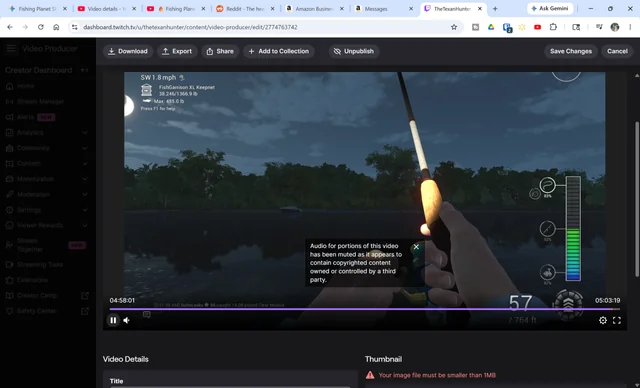
Music provides a clear example. Twitch states that when copyrighted audio is detected in a VOD, the affected part of the recording can be automatically muted. The overall VOD can therefore remain available even though some audio from the original livestream is no longer playable.
YouTube likewise provides creators with tools to remove claimed material when copyright issues are identified, and copyright claims can still arise after the initial upload checks.
This means that an archive's retention period and its content completeness are separate questions.
A sports replay might also have different rights from ordinary creator content. A guest performance or commercially licensed music section may have different post-live distribution conditions. The reason should not be guessed unless the operator explains it, but viewers should inspect the individual replay description for wording such as:
“certain portions have been edited”
“music has been muted”
“replay unavailable in some regions”
“this segment is not included in VOD”
Compare the archived runtime with the original broadcast duration when one scene is particularly important.
A three-hour stream followed by a two-hour-forty-minute VOD does not prove what was removed. Check the official description and the timestamps around the part you want.
Archive Links and External Replay Pages
Archived livestream pages often contain chat links, fan resources, merchandise pages, Discord invitations, or other external destinations that remain clickable long after the original broadcast.
Those links deserve a separate security check because the replay being hosted on a legitimate platform does not automatically make every external destination in its chat or description trustworthy.
Account Data Exposed by External Stream Chat Links is relevant when an archived chat contains old giveaway pages, login prompts, shortened URLs, or links posted by viewers during the original livestream. A link that was active when the broadcast occurred may later point somewhere different or may no longer be controlled by the same operator.
This is particularly relevant for old subscriber archives because viewers can encounter chat and description links months after they were originally posted.
Treat archive access and external-link trust as separate issues.
Account-Level Archive Testing
A practical archive test should use the actual account rather than relying only on promotional wording.
Before subscribing, record one recent broadcast and one older broadcast you want to watch.
After joining, confirm:
Recent replay: playable or locked
Older replay: playable or locked
Required tier: exact membership level
Runtime: full or edited
Visible expiration: date and time if shown
Device: web, mobile, or TV
Download: available or unavailable
If the service has several membership levels, upgrade only after confirming that the desired content is actually assigned to the higher level. YouTube, for example, allows creators to specify which membership levels can view each members-only video.
If you later cancel, repeat the test before the paid period ends and again after expiration.
This produces actual account evidence instead of relying on assumptions such as “subscriber archives are permanent.”
Access-Period Records for Temporary Content
Temporary content should be handled with an expiration record rather than memory.
For each important VOD, save:
broadcast date
upload date
purchase date
first-play date if relevant
expiration date and time
membership expiration date
region
runtime
known edited or unavailable portions
This is particularly helpful when a temporary VOD is available only for a few days.
Weverse's rental example also shows why purchase and playback rights should be documented separately: refund requests for that particular product were permitted within seven days only when the content had not already been watched, while the viewing licence itself lasted two days from purchase.
The refund window and playback window are therefore different rules.
Viewing Priority Based on Actual Expiration Risk
A useful watch order is based on the most fragile access rather than the oldest video.
First priority: temporary VOD with an exact expiration time.
Second priority: public replay governed by a short storage or publication period.
Third priority: membership archive that is currently available but could change if the creator removes the video or alters the membership structure.
A members-only archive can be more stable than a 48-hour rental, but it should not be described as permanent unless the provider explicitly promises permanent access.
The final check is:
account level → oldest accessible video → public/private status → expiration starting point → cancellation date → membership end date → video storage status → episode-specific rights restrictions
That sequence explains most cases where a video seems to “disappear.”
Sometimes the viewer's permission expired. Sometimes the platform stopped storing the replay. Sometimes the creator changed its visibility. Sometimes only one copyrighted section was altered.
Those are different events, and understanding the difference makes it much easier to decide what needs to be watched now and what can safely remain in the archive for later.