Comparing Access and Cancellation Terms for One-Time Purchases, Time-Limited Passes, and Adult Platform Subscriptions
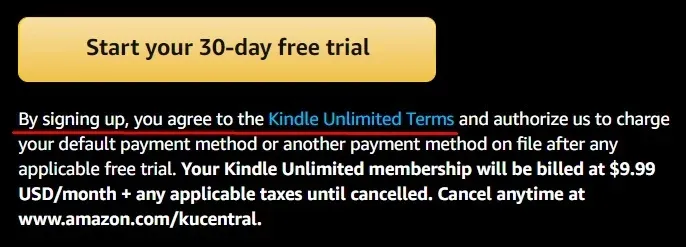
Adult platforms can place similar content behind payment options that create very different viewing rights. A one-time payment may unlock one video, a selected bundle, or a custom piece of media. A short-term pass may open a limited collection for several days rather than the whole catalog. A monthly subscription may provide access to a creator's feed while still leaving some videos behind separate pay-per-view locks.
The price shown on the first screen therefore tells only part of the story.
Before paying, identify exactly what the transaction unlocks, how long that access lasts, whether the charge renews, what happens after cancellation, whether age verification is required, and which devices can actually play the purchased content. Refund terms should also be checked before opening the media because digital-content policies can treat unused and already-accessed purchases differently.
Access Rights by Payment Unit
The safest comparison begins with the payment screen rather than the product name.
A “one-time purchase” does not always mean ownership of a transferable video file. On Fansly, for example, individually purchased media is added to the buyer's Media Collection for continued viewing through the platform, but Fansly states that users cannot download or save that media outside the service.
That is account-based access, not delivery of an unrestricted local copy.
Subscriptions work differently. Fansly allows creators to decide which subscription tiers can access particular media and can also place an additional purchase requirement on individual posts. A subscriber can therefore pay the monthly fee and still encounter locked content requiring another transaction.
A time-limited pass introduces a third model. The useful questions are whether the pass covers the entire catalog or only a named collection, whether newly uploaded material is added during the active period, and whether access disappears at a fixed time.
Before purchase, reduce the offer to a sentence:
I am paying ___ to access ___ until ___.
Then check these fields:
| Payment type | Main issue to verify |
|---|---|
| One-time purchase | Exact media included and whether access remains in the account |
| Short-term pass | Start time, expiration time, and catalog scope |
| Monthly subscription | Included tiers, separate PPV content, and renewal date |
| Annual subscription | Effective monthly cost and early-cancellation consequences |
| Custom or direct purchase | Whether it appears in normal purchased-media history |
Transaction classification also matters. Fansly tells users to verify that paid media appears as a “Media Purchase” in transaction history; other payments such as tips do not necessarily create the same continuing media rights.
Renewal Cycles, Trial End Dates, and Cancellation Effects
A recurring price should always be recorded together with its next billing date.
Fansly currently states that subscriptions use automatic renewal unless the user turns renewal off. When auto-renewal is disabled, the subscription remains active until the displayed expiry date at the end of the paid billing period.
That means pressing Cancel does not necessarily mean losing access immediately.
A useful subscription record is:
Initial payment: $10
Regular renewal: $25
Start date: August 12
Next charge: September 12
Auto-renew: On
Cancellation effect: Access remains until the current expiry date
Promotional pricing needs particular attention. A trial or discounted first period can be cheap while the normal renewal price is much higher. The price that matters for long-term use is the amount charged after the promotional period.
Cancellation also depends on who billed the purchase.
For a web-billed subscription, first open the platform's own billing or subscription page. Turn off renewal there, then confirm that an expiration date replaces the next-renewal status.
For an Apple-billed subscription, Apple directs users to the App Store subscription settings, where the subscription can be selected and cancelled. Apple notes that an expiry message instead of a Cancel button indicates that the subscription is already cancelled.
For a Google Play-billed subscription, cancellation is handled through Google Play's subscription controls. Google states that ordinary cancellation generally stops future renewal while allowing the user to keep access for the period already paid. Uninstalling an app does not itself cancel the subscription.
The practical sequence is:
payment receipt → billing provider → cancellation location → expiry date → saved confirmation
Do not repeatedly search different cancellation menus before identifying who processed the original charge.
Age Verification and Personal Information Handling
Adult-content access can require additional age checks that are separate from ordinary payment authorization.
The important point is that verification may depend on the user's jurisdiction rather than whether the user chooses a one-time purchase or subscription.
Fansly's current age-verification guidance lists jurisdictions where additional checks are required and says it uses Ondato as its verification provider. The process can begin with a live selfie and may require government-issued identification if further assurance is needed. Fansly says Ondato does not retain the selfie or ID after the verification process and that Fansly receives confirmation of successful age verification rather than the underlying identity images.
This means a user should not assume that choosing a one-time payment avoids age verification. Where local rules require the platform to verify adult status before access, the requirement can apply independently of the billing model.
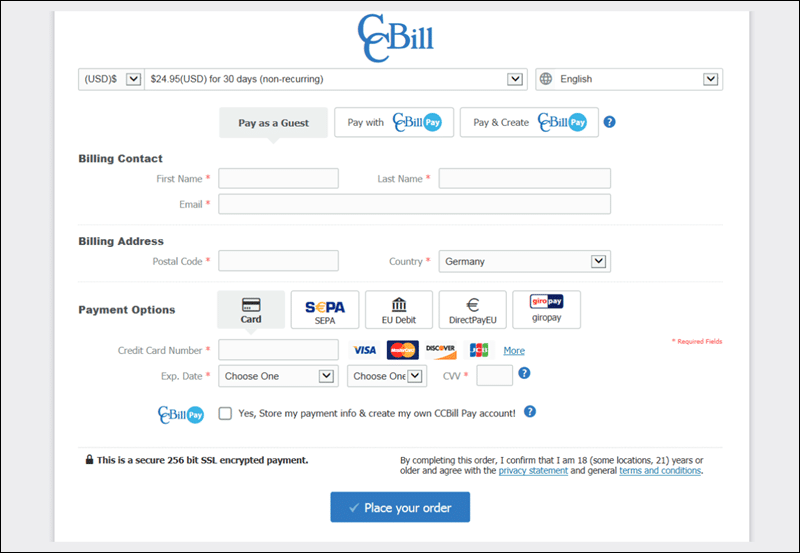
Payment-card information should be considered separately from age-verification information. Fansly states that billing information is not stored by Fansly itself, while its privacy policy describes broader account information collection and provides mechanisms for requesting deletion of personal information, subject to legal and operational exceptions.
Before submitting identification, check:
verification provider → data requested → retention policy → data received by the platform → deletion-request route
The provider's own privacy terms matter because the company checking an ID may not be the same company operating the content platform.
This is also where Age Checks and Content Rating Labels in Adult Media becomes relevant. An 18+ label tells a viewer who the content is intended for, while formal age verification determines whether the service must establish that the person accessing it meets the applicable age requirement. Those are related but different controls.
Device Access, Simultaneous Playback, and Download Restrictions
Payment does not guarantee identical access on every screen.
Before purchasing a large bundle or long subscription, test the actual environment you plan to use:
- desktop browser
- mobile browser
- mobile application, if provided
- tablet
- casting or TV interface, if supported
Check whether the same account displays the purchased item on each supported interface.
A common source of confusion is assuming that a web purchase must automatically appear in every app or television client connected to the same service. That depends on whether the platform supports that product type on the second interface and whether the same service account is active.
When content appears missing, check the purchase history before buying it again.
Downloads need separate verification. Fansly currently states that purchased media remains accessible through the Media Collection but cannot be downloaded or externally saved from the platform.
That has a practical consequence for travel. Ongoing purchase access still depends on being able to use the platform; it is not the same as carrying an ordinary downloaded video file offline.
Simultaneous playback also should not be guessed. If the terms do not state the number of concurrent streams, test the intended devices or ask support before purchasing specifically for multi-device use.
Picture quality belongs in the same check. The attractive preview on a sales page does not by itself establish the maximum resolution provided to the purchased account or on every supported device.
A practical test after the smallest possible purchase is:
purchase appears → video opens → preferred device works → full-screen playback works → expected quality is available → second-device behavior confirmed
Unused Purchases, Partial Viewing, and Refund Evidence
Refund eligibility should be checked before opening the media.
Digital content differs from a physical product because a seller cannot meaningfully recover a video after it has already been viewed. Platforms therefore often use access records and transaction details when considering refund requests.
Fansly currently describes purchases as generally final and says successfully delivered digital content is normally non-refundable after access has been provided. It asks users submitting a dispute to provide information including the transaction or order details, payment date, amount, description of the problem, and supporting evidence.
That makes three situations worth separating:
Paid but not opened
This is usually the strongest position from which to contact support when the wrong item was purchased or the product description appears inconsistent.
Playback attempted but technically unusable
Record the error message, device, browser or app version, timestamp, and screenshots before repeatedly trying the content.
Media partially or substantially viewed
Refund prospects can be more limited because access has already been consumed.
A creator-issued refund can also affect viewing rights directly. Fansly states that when purchased media is refunded, the fan immediately loses access to that refunded media.
App-store refunds follow the billing provider's process rather than automatically being handled through the content service. Apple says eligible App Store purchases and subscriptions can be submitted through its refund-request system, while Google Play provides its own refund request flow and separate refund policies.
Cancellation and refund should therefore be treated as two separate actions:
Cancel renewal stops a future charge.
Request refund asks for money already charged to be returned.
One does not automatically perform the other. Google explicitly notes that cancelling a subscription does not itself issue a refund.
Cost Differences by Real Viewing Frequency
The cheapest headline price can become the most expensive option when it renews during months in which the service is barely used.
Consider a hypothetical platform offering:
individual video: $10
7-day pass: $18
monthly subscription: $25
If you want only one video:
one-time purchase = $10
A pass or subscription costs more.
If you want four videos and all four are included with the monthly plan:
four individual purchases = $40
one month subscription = $25
The subscription saves $15.
Now consider someone who watches those four videos during the first month but forgets to cancel for four additional months:
$25 × 5 months = $125
The four individual purchases would have cost:
$40
The unused renewals added:
$85
A low monthly rate is therefore meaningful only when multiplied by the number of months the account will realistically remain active.
Short-term passes can be evaluated with:
pass price ÷ actual viewing days
A $21 seven-day pass used on three days costs an effective $7 per active day.
Subscription use can be evaluated with:
monthly fee ÷ number of included videos actually watched
A $25 subscription used for ten included items costs $2.50 per viewed item. The same subscription used for one included item effectively costs $25 for that viewing.
PPV content must be removed from that calculation unless it is genuinely included in the membership tier. Fansly explicitly allows individual posts to require an additional purchase even when the viewer already has a subscription.
Pre-Payment Access Record
The final decision should be possible from one short record.
Write down:
content included: exact video, bundle, or subscription tier
price charged today: actual checkout amount
renewal price: regular amount after any trial or promotion
billing provider: website, Apple, Google Play, or another processor
renewal date: exact date
cancellation effect: immediate or end of paid period
age verification: method, provider, and information required
devices: browser, mobile, TV, and simultaneous playback conditions
downloads: permitted or platform-only streaming
refund status: unopened, partially viewed, or ordinarily final
long-term cost: expected number of purchases or subscription months
This turns a vague offer such as “Premium access for only $9.99” into a usable contract comparison.
One-time purchasing is often better when the viewer wants a small number of specific items and values continuing access to those purchases. A time-limited pass can be economical when many included items will be watched within a short period. A recurring subscription makes sense when ongoing releases are used often enough to justify each billing cycle.
The correct comparison is not simply:
one-time vs. monthly
It is:
exact content unlocked → access duration → renewal exposure → privacy requirement → device usability → refund position → total cost at actual viewing frequency
Those details determine what the buyer is really paying for.