Age Checks and Content Rating Labels in Adult Media
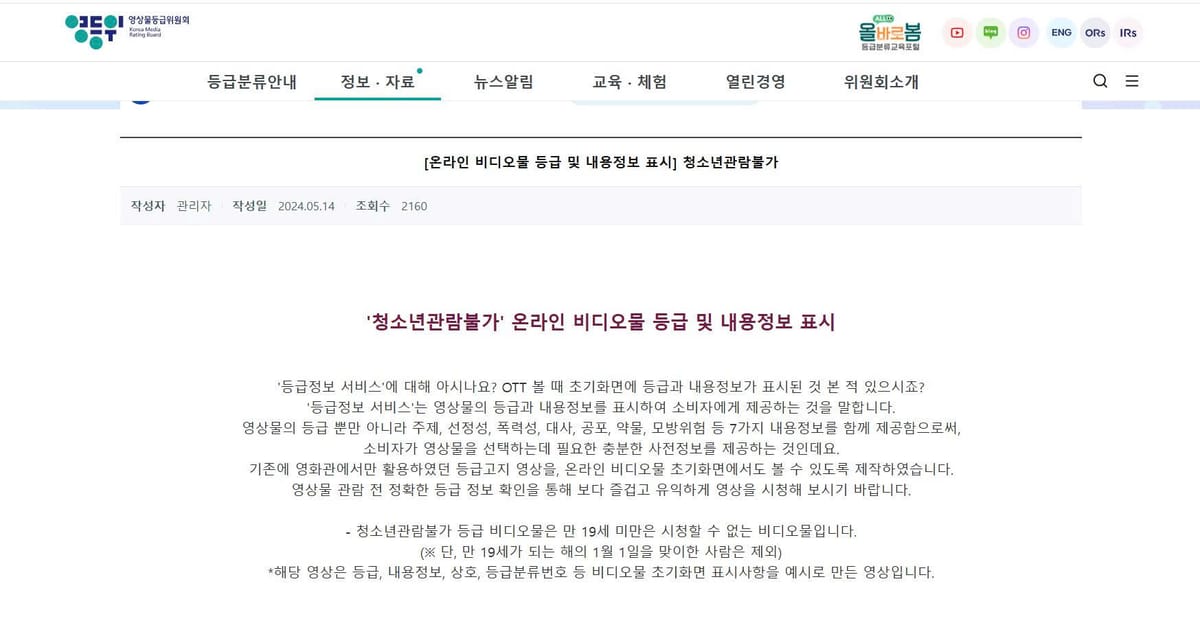
If you watch movies or dramas on Korean streaming platforms like Netflix Korea, TVING, or Watcha, you have likely encountered a sudden verification pop-up when trying to play a thriller or mature drama. These screens require you to verify your identity before playing the video, and the verification process can frequently fail if your details do not match local records.
Many international viewers assume that clicking a simple "I am over 18" button should grant immediate access. However, Korea operates under strict broadcasting and youth protection laws that require digital platforms to verify a user's real name and age.
This guide explains how age checks work in Korea, how to fix common identity verification errors, and how to keep your personal data safe when watching age-restricted content.
Why simple "click to enter" age buttons do not work in Korea
On many global websites, confirming your age involves a basic click-through gate asking for your birth year. In Korea, this click-through method has no legal standing for mature digital media.
The Youth Protection Act requirement
Korea’s Youth Protection Act mandates that digital media platforms must use government-approved real-name authentication methods before granting access to 19+ rated material (청소년 관람불가). Platforms that fail to enforce real-name age checks face heavy legal fines.
The 19+ red rating badge
The Korea Media Rating Board (KMRB) classifies mature content using a red rating badge displaying the number 19. The moment you click play on a title carrying this red badge, the streaming app automatically pauses video playback and checks whether your logged-in account holds a valid, active age verification token.
How to fix age verification errors on Korean streaming apps
Failing an age verification check (성인인증) is a frustrating experience, especially for foreign residents in Korea. Here is how to fix the most common technical errors.
Matching your ARC name with your phone carrier details
The single most common reason age verification fails for foreign residents is a name mismatch. When using mobile identity verification (본인인증), the system cross-references the name you type with the exact records held by your Korean mobile phone carrier (SKT, KT, or LGU+).
- Letter case: Most Korean telecom databases store foreign names on Alien Registration Cards (ARC) in ALL CAPITAL LETTERS.
- Name order: Make sure you enter your name in the exact order shown on your physical ARC card (usually LAST NAME FIRST NAME).
- Spacing: Do not add unneeded spaces or middle name dashes unless they appear explicitly on your mobile phone billing agreement.
Understanding the mandatory 12-month re-verification rule
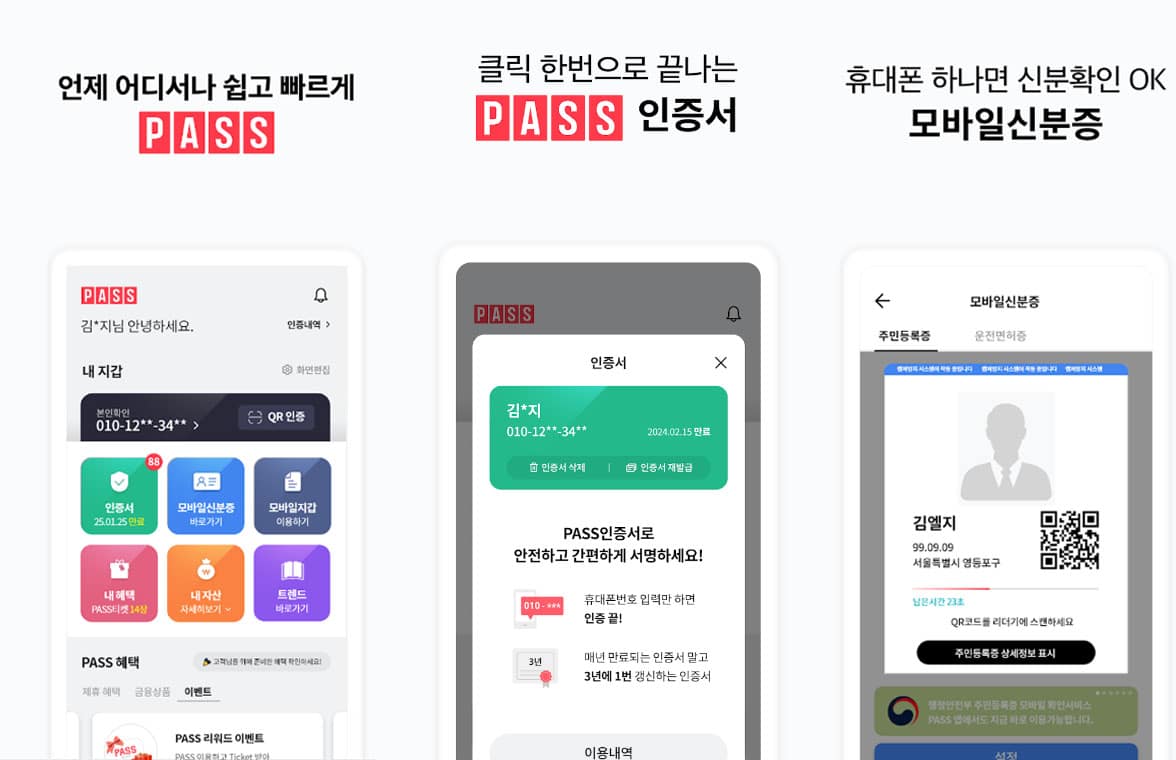
Under Korean digital regulations, age verification tokens expire automatically after 365 days. Even if you have an active paid monthly subscription, streaming apps are legally required to force you to re-verify your identity once every 12 months. If your 19+ playback suddenly stops working after a year of seamless viewing, you simply need to complete a quick annual phone re-verification.
Comparing safety of age check methods: PASS app, I-PIN, and credit cards
Many users worry that providing personal identity data to watch 19+ rated shows creates a privacy risk. Here is how the three official verification methods in Korea compare regarding data safety and convenience:
Privacy note: Streaming platforms do not send your viewing history to your mobile phone carrier or credit card company. The verification process simply sends a secure binary response ("Verified over 19" or "Not verified") back to the streaming app.
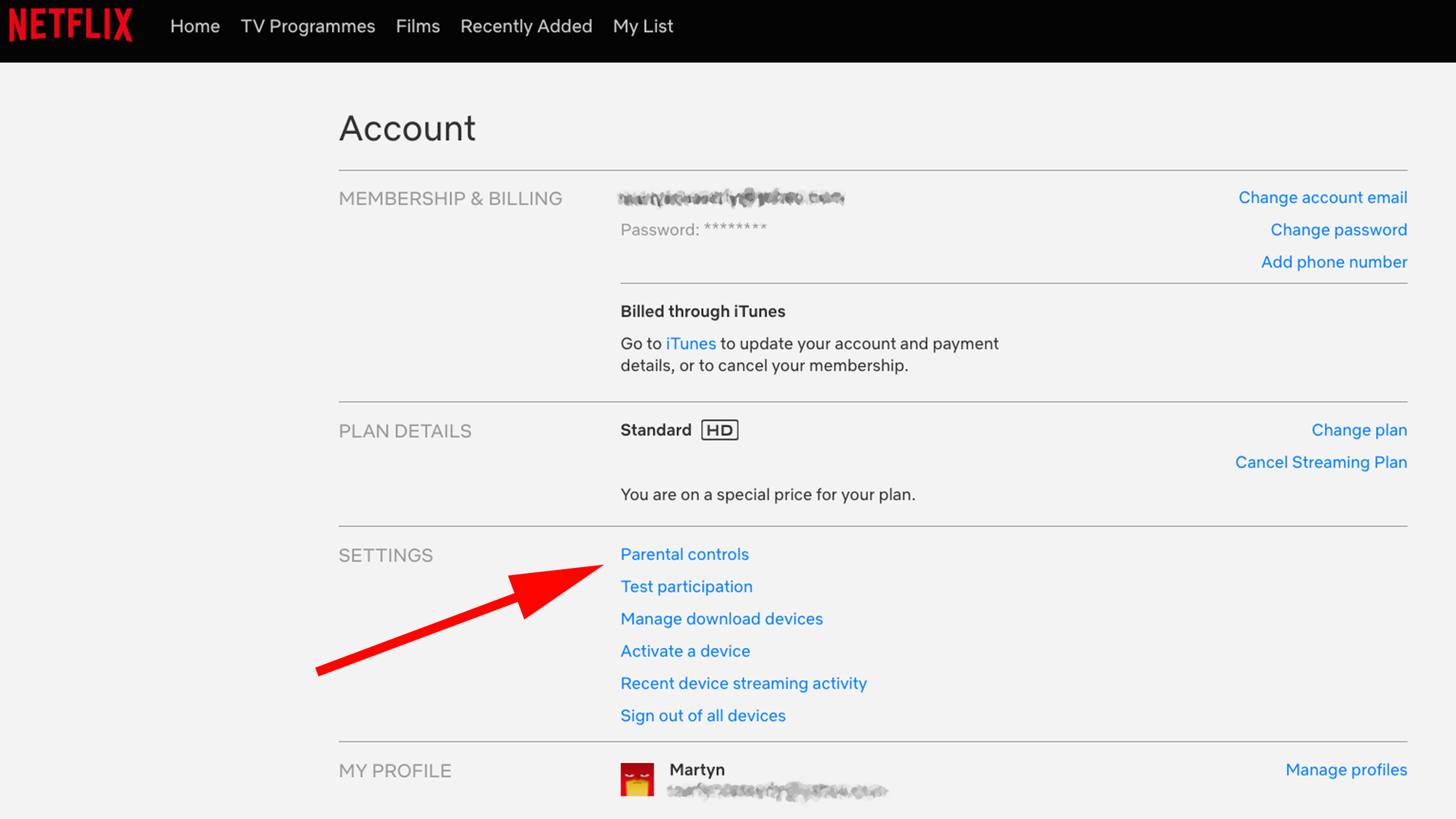
Netflix profile PIN instructions for preventing children from accessing age-restricted content on shared devices.Setting up parental PINs on family devices to protect children
If you share a streaming account or smart TV with children in your household, relying on platform age checks alone is not always enough once an adult profile is verified.
Setting profile-level PIN locks
Once an adult completes age verification on an account, all 19+ rated titles become playable. To prevent children from accessing mature shows on a shared smart TV, go to your account settings in Netflix, TVING, or Watcha and set a 4-digit PIN lock on all adult profiles.
Device-level smart TV restrictions
Children can sometimes switch profiles or open unauthenticated guest apps on smart TVs. To add an extra layer of protection, enter your smart TV system settings and enable age-rating restrictions at the operating system level. This ensures that opening any app containing 19+ rated content requires a master TV system password.